Workflow Automations
Simple, reliable automations that connect your existing apps and eliminate the repetitive manual tasks eating up your team's time.
Build this tool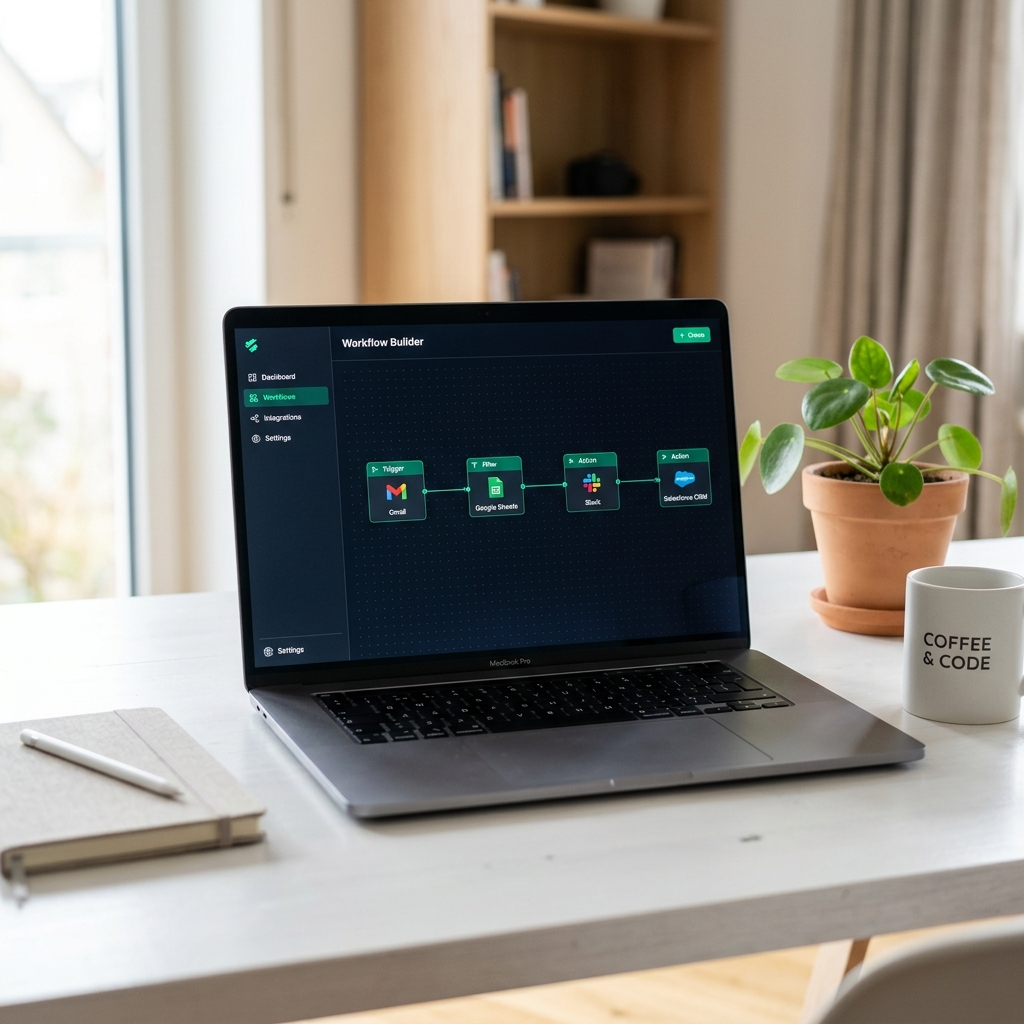
The Symptoms
Copy-Paste Between Apps
Your team manually copies data from emails into spreadsheets, updates CRMs by hand, and forwards notifications one by one. Hours vanish every week on tasks a machine should handle.
The Solution
Automated Workflows
We build straightforward automation pipelines that trigger instantly when something happens—a form submission, a new email, a calendar event—and route the data exactly where it needs to go.
Why it works
Precision engineering.
We strip away the bloat and focus entirely on the mechanics of your bottleneck, resulting in an instantly usable tool that requires zero corporate training.
What features may look like
App-to-App Connections—seamlessly link your email, CRM, spreadsheets, and project tools so data flows automatically between them.
Trigger-Based Actions—set up rules like 'when a new form is submitted, create a row in the spreadsheet and send Slack notification' with zero manual intervention.
Email & Notification Routing—automatically forward, filter, and organize incoming messages so nothing slips through the cracks.
Scheduled Reports—generate and deliver recurring summaries to your inbox or dashboard on a set cadence without lifting a finger.
Real-World Examples
Automations we can build for you.
New Lead → CRM + Slack Alert
A prospect fills out your website contact form.
The lead's info is automatically added to your CRM with the correct tags, and a formatted notification is posted to your sales team's Slack channel.
Your team responds in minutes instead of discovering the lead buried in an inbox hours later.
Invoice Sent → Spreadsheet Log + Follow-Up
An invoice is created in your billing tool (e.g. QuickBooks, Stripe, or FreshBooks).
A row is added to a master revenue spreadsheet. If unpaid after 7 days, an automatic follow-up email is sent to the client.
No more manually tracking outstanding invoices or forgetting to chase payments.
New Employee → Onboarding Checklist
A new hire is added to your HR platform or a shared spreadsheet.
A personalized onboarding task list is generated in your project management tool, welcome emails are sent, and IT is notified to provision accounts.
Every new employee gets a consistent, thorough onboarding without anyone manually creating checklists.
Support Ticket → Triage + Assignment
A customer submits a support request via email or form.
The request is categorized by keyword, assigned a priority level, and routed to the correct team member with all context attached.
Critical issues get immediate attention instead of sitting in a shared inbox waiting to be manually sorted.
Calendar Event → Pre-Meeting Brief
A client meeting appears on your calendar in 30 minutes.
A brief is auto-compiled pulling the client's latest CRM notes, open invoices, and recent support tickets, then delivered to your inbox.
You walk into every meeting fully prepared without spending 15 minutes digging through different apps.
Weekly Data → Executive Summary
Every Friday at 5 PM (scheduled).
Key metrics are pulled from your spreadsheets, CRM, and project tool, formatted into a clean summary, and emailed to leadership.
Leadership gets a consistent, professional snapshot every week without anyone manually assembling the report.